

The app to track your TV shows episode by episode
Check off every episode you watch and MisPelis tells you what's next, how much is left to catch up and which seasons are worth it, without spoiling anything you haven't seen yet. Free on iOS and Android.

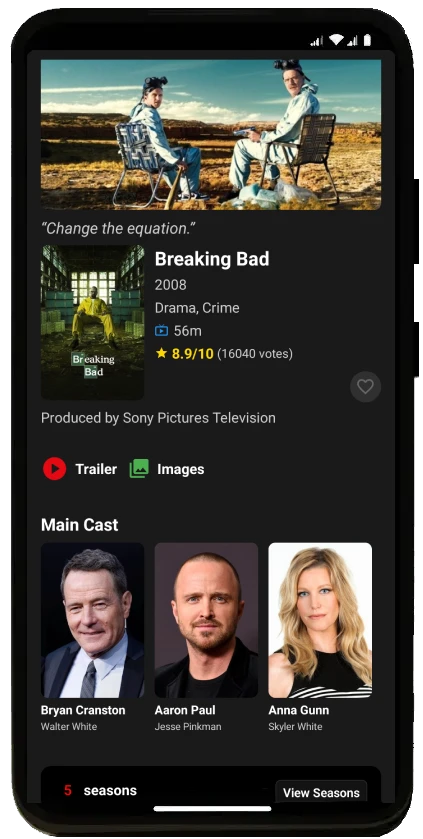
Check off what you watch and always know what's next
Open a show, go to a season and check off episodes with a tap. If you're behind on logging, you can mark all the previous ones or the whole season at once.
- Your next episode: every show's page tells you which one is up and, once there's nothing left that has aired, that you're caught up.
- Continue watching: your in-progress shows on the home screen, ready to pick up with a tap.
- How much is left: progress for every season and the time left to finish the show.
- Next episode reminder: set a reminder for the day it airs.
Already started it? Tell us where you are
When you add a show to "Watching", MisPelis asks where you are. If you're starting from the beginning, your next episode is the first one. If you'd already started, pick the last episode you watched and all the previous ones are checked off, no need to go one by one.
Spoiler-free mode
With spoiler-free mode on, the synopsis and stills of episodes you haven't watched yet are blurred. To read a synopsis, just tap it. Turn it on in settings or with the "Spoilers" button on each season.
Heatmap: which seasons are worth it
Every show has a heatmap with the rating of all its episodes, season by season, and every season has a chart with each episode's rating. See at a glance whether a show runs out of steam, where its best episodes are or whether that weak season is worth sticking with.
The heatmap is on the web too: MisPelis TV show pages include it along with their highest-rated episodes. For example:
Your TV stats
- Episodes watched and hours of TV, plus your finished, caught-up, in-progress and paused shows.
- How much is left to catch up on every show you're halfway through.
- Your habits: your longest binge, your streak of days watching TV and your favorite day of the week.
- Year in review, with your show of the year and the episodes you watched.
- Diary and activity map: every episode you check off is logged with its date.
Instantly find what's left to watch
- Filter your shows by tracking: not started, in progress, caught up or completed.
- Filter by show status (returning, ended or canceled) or by how much time you have left to watch.
- Sort by activity to keep the shows you're watching right now at the top.
Achievements for binge-watchers
Watching 100 episodes, bingeing 10 in a single day or watching episodes of 3 different shows in one day unlocks achievements. And there are a few secret ones for you to discover.
Frequently asked questions
What's the best app to track TV shows?
It depends on what you need. If you want to track your shows episode by episode and log your movies in the same app, with a spoiler-free mode, episode rating heatmaps and stats, MisPelis brings it all together.
Can I check off several episodes at once?
Yes. When you check off an episode, MisPelis offers to mark the previous ones in that season or in every season, and you can mark a whole season at once. If you'd already started the show, pick the last episode you watched and all the previous ones are checked off.
What is a TV show heatmap?
A grid with the rating of every episode of a show, arranged by season and colored from red (lowest rating) to green (highest). It shows at a glance which seasons are best and which episodes you can't miss.
Does my progress sync across devices?
Yes. With an account, the episodes you check off sync across all your devices, on both iOS and Android.
Is it free?
Yes, MisPelis is free on iOS and Android. The free version tracks episode progress for 2 shows at a time; with Premium you can track as many as you like.