

How to export your movies from Letterboxd or IMDb and import them into MisPelis
Years of watched movies shouldn't go to waste just because you're switching apps. This guide shows you how to export your Letterboxd or IMDb history as a CSV file and bring it into MisPelis in a few minutes.


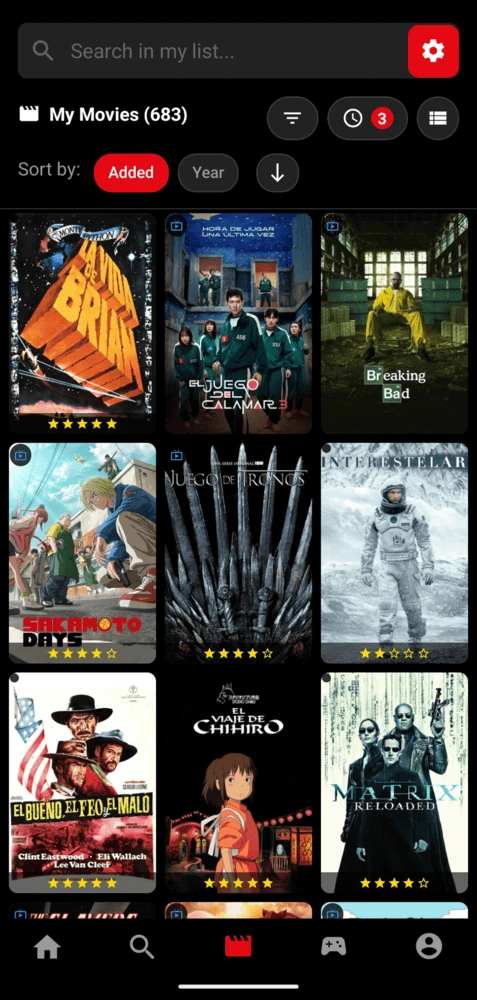
Export your Letterboxd history
- Open Letterboxd's settingsOn the Letterboxd website, go to Settings and open the Data tab.
- Export your dataClick "Export your data". Letterboxd builds a ZIP file with your whole history and downloads it.
- Unzip itThere are several CSV files inside. The one you need is watched.csv, with every movie you've marked as watched.
Export your IMDb ratings
- Open your ratingsOn IMDb, go to your profile and open your ratings list (Your Ratings).
- Request the exportIn the list's options menu, choose Export. IMDb prepares the file and places it on your exports page.
- Download the CSVOnce it's ready, download it. It includes the title, year and type of every movie or show you've rated.
Import the file into MisPelis
- Get the file onto your phoneSave it to your phone: Files, Google Drive, iCloud Drive or wherever is convenient.
- Open MisPelis settingsGo to the Profile tab and tap the gear icon.
- Tap ImportPick the CSV file. MisPelis looks up each title and adds it to your watched list.
- Check the summaryWhen it's done you'll see how many titles were added, how many you already had and which ones weren't found.
Tips so nothing gets lost
- Everything you import is added to "Watched".
- The CSV needs a Name or Title column. If it also has Year (or tmdbID), matching works better for remakes and duplicate titles.
- Save the file as UTF-8. If you edit it in Excel, use "CSV UTF-8" so accented characters don't break.
- Long lists take a few minutes: about 50 titles per minute. You can cancel at any time and whatever was imported is kept.
- Importing the same file twice won't duplicate anything: titles you already have are skipped.
What if you want to take your data elsewhere?
From the same settings you can export your collection to CSV. The file uses the columns of Letterboxd's import format, so you can take it back there or simply keep a backup.
Frequently asked questions
Where is the export button on Letterboxd?
On the Letterboxd website, under Settings, Data tab, "Export your data" button. It downloads a ZIP; the file with your watched movies is watched.csv.
Are my ratings imported too?
The import adds the titles to your watched list. You can add ratings and notes afterwards from each movie's page.
Why wasn't a movie found?
It usually happens with very obscure titles or ones spelled differently. If the CSV includes the year, matching is more accurate. At the end of the import you'll see the list of titles that weren't found so you can add them by hand.
Can I import TV shows from IMDb?
Yes. IMDb's ratings CSV includes movies and TV shows, and MisPelis looks up each title in its catalog.